Readers researching hunyuan 3d can use this hands-on comparison to assess practical trade-offs in an image-to-3D workflow, including credits, export size, download time, and browser-ready files.
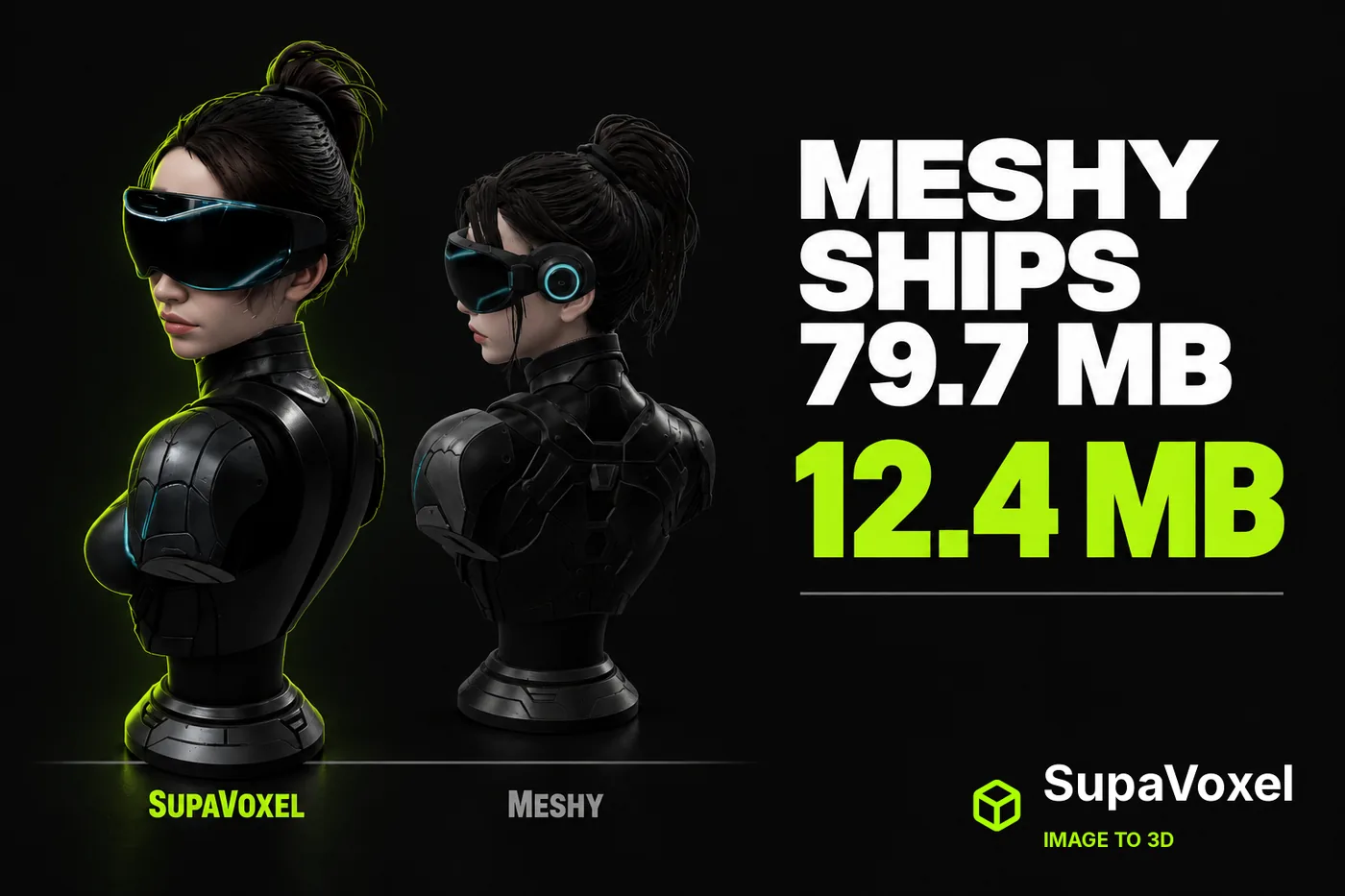
Disclosure: this is an independent hands-on test. Both tools were run on ordinary customer accounts; neither company supplied review access or saw this piece before publication.
The moment that changed how I look at these tools was boring.
I had the model. I dragged it toward the project folder. And I watched the file size.
Seventy-nine megabytes. For one bust. Head, visor, shoulders, done.
I hadn't asked around about pricing or quality — I'd asked around about which image-to-3D tool to use, and the same two names kept coming up: Meshy and SupaVoxel. So I ran one image through both and then weighed what came back.
Here's the bill.
My verdict in 60 seconds — Meshy 58/100, SupaVoxel 91/100
My scores, for this one job. One image, one run per tool — not a lab study.
- File size — Meshy 79,664,932 bytes vs SupaVoxel 12,385,676 bytes · Meshy 3/10 · SupaVoxel 9/10 — Meshy makes you carry five times the payload for one bust; SupaVoxel's export is small enough to ship on a page without a second thought
- Download at 12 Mbps — Meshy 53.1 s vs SupaVoxel 8.3 s · Meshy 3/10 · SupaVoxel 9/10 — Meshy leaves your user staring at a spinner for the better part of a minute; SupaVoxel's file is there before they give up
- Download at 100 Mbps — Meshy 6.37 s vs SupaVoxel 0.99 s · Meshy 4/10 · SupaVoxel 9/10 — Meshy stays a loading state even on a fast line; SupaVoxel comes in under a second, which means no loading UI to build
- A hundred assets on disk — Meshy 7.97 GB vs SupaVoxel 1.24 GB · Meshy 3/10 · SupaVoxel 9/10 — Meshy turns a model library into a storage plan; SupaVoxel's fits somewhere you can actually ship it
- Browser-ready copy — Meshy 13.64 MB vs SupaVoxel 7.58 MB · Meshy 5/10 · SupaVoxel 8/10 — Meshy needed a whole conversion pass and still landed heavier than SupaVoxel's untouched original; SupaVoxel converts smaller still
- Export options — Meshy one GLB vs SupaVoxel compressed GLB and original-size GLB · Meshy 6/10 · SupaVoxel 9/10 — Meshy gives you a single file to make work everywhere; SupaVoxel gives you the light one for the web and the full one for a picky importer, out of the same run
- What the run record gives you — Meshy: no generation window captured vs SupaVoxel: 268.043 s · Meshy 6/10 · SupaVoxel 8/10 — Meshy's run left me no duration to plan a schedule around; SupaVoxel's record hands you a concrete four-and-a-half-minute number. This is about what got recorded, not about which is faster
- Recorded charge — Meshy 35 credits vs SupaVoxel 3 credits · Meshy 7/10 · SupaVoxel 7/10 — a deliberate tie: two different plans in two different units, so these numbers can't be ranked and I won't turn them into a price
Four things worth your attention.
Meshy's export is 79,664,932 bytes for a bust that stops at the shoulders.
On a 12 Mbps connection, that's 53.1 seconds of pure transfer. Nothing on screen. Just waiting.
A hundred of those assets is 7.97 GB. That's not a model library anymore, that's a storage plan.
And the run recorded 35 credits on Meshy against 3 on the other side — two different plans, two different units, so please don't read that as a price.
I shipped the small one. The tool that made it is at supavoxel.com if you want to look.
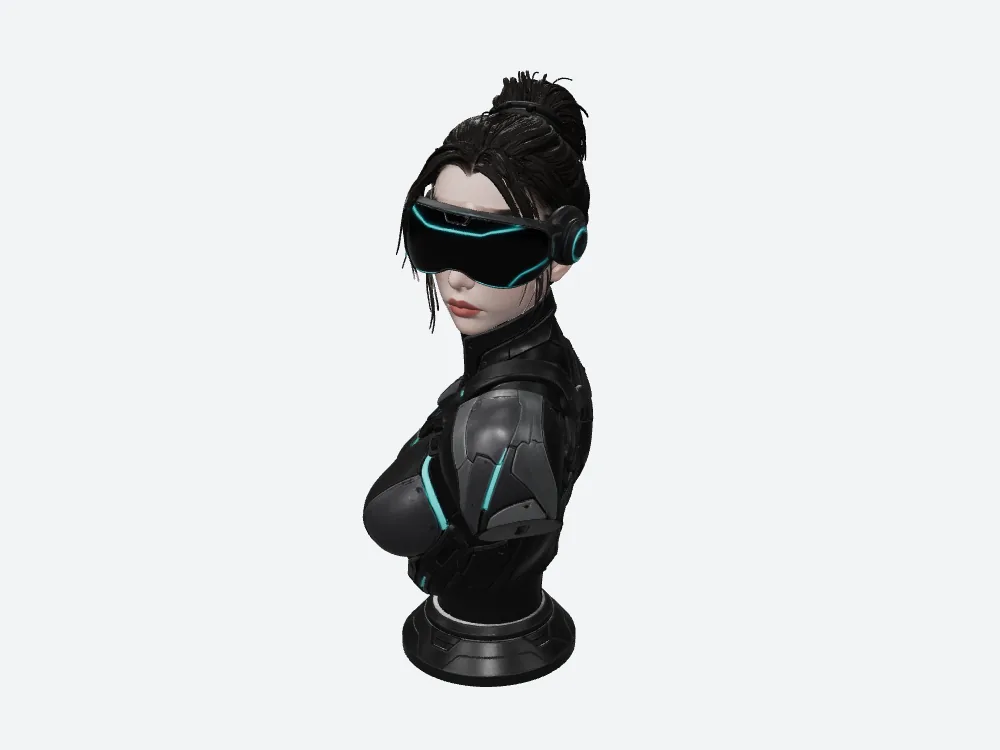
Meshy's 79,664,932-byte bust, rendered offline in my own viewer with fixed lighting.

The 12,385,676-byte file at the same camera. The two models sit at slightly different angles because each file carries its own built-in orientation.
What does a Meshy model actually cost you to deliver?
Not credits. Bytes — and Meshy has a lot of them.
Credits are a number on someone's dashboard. Bytes are what your users download, what your CDN bills you for, and what your headset holds.
A GLB is the single-file version of the glTF format — geometry, materials and textures bundled together. Both tools gave me one. Same format, wildly different weight.
That weight is the part you live with forever.
Meshy ships 79,664,932 bytes. What you're really shipping
Those Meshy numbers aren't rounded marketing numbers. I downloaded both files and checked them, hash and all.
The gap is 67,279,256 bytes. Call it 67 megabytes of extra payload per asset, before you've shown a single user a single thing.
Put four characters in a scene and Meshy just added about 268 MB the other file wouldn't have.
Same bust, same reference image, five times heavier.
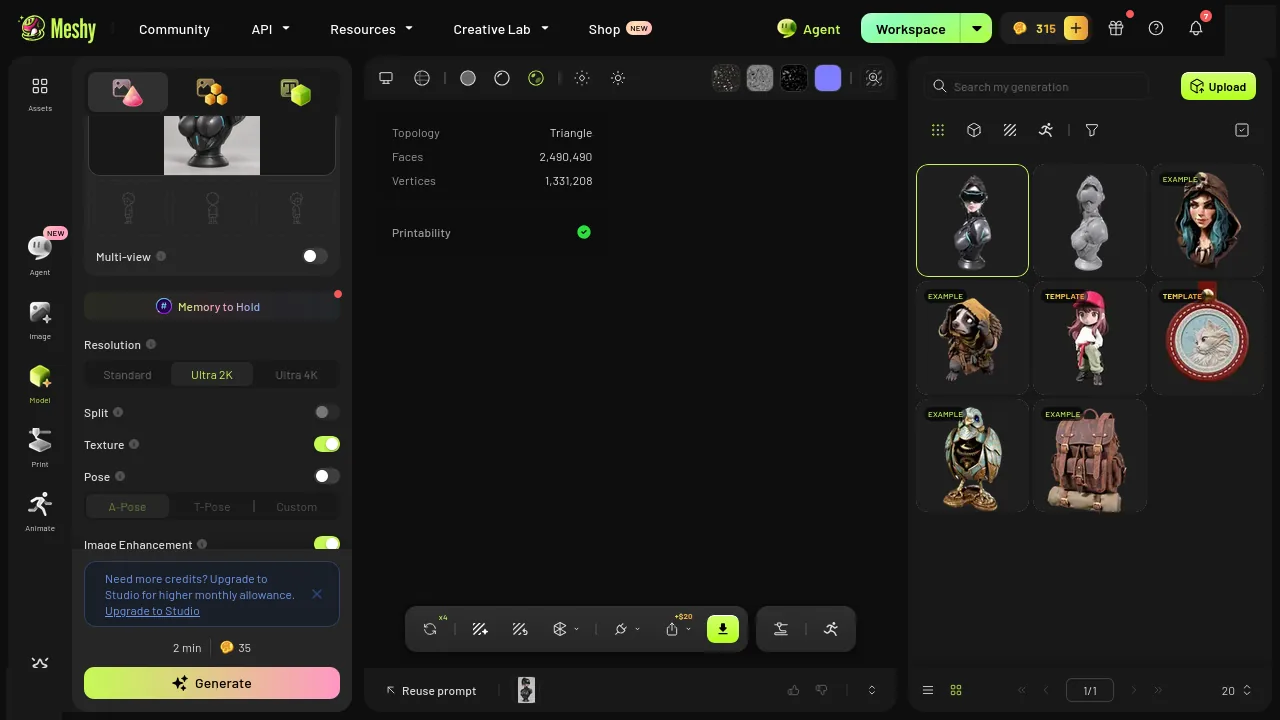
Meshy's result page for this run, redacted. Looks great. Weighs 79.7 MB.
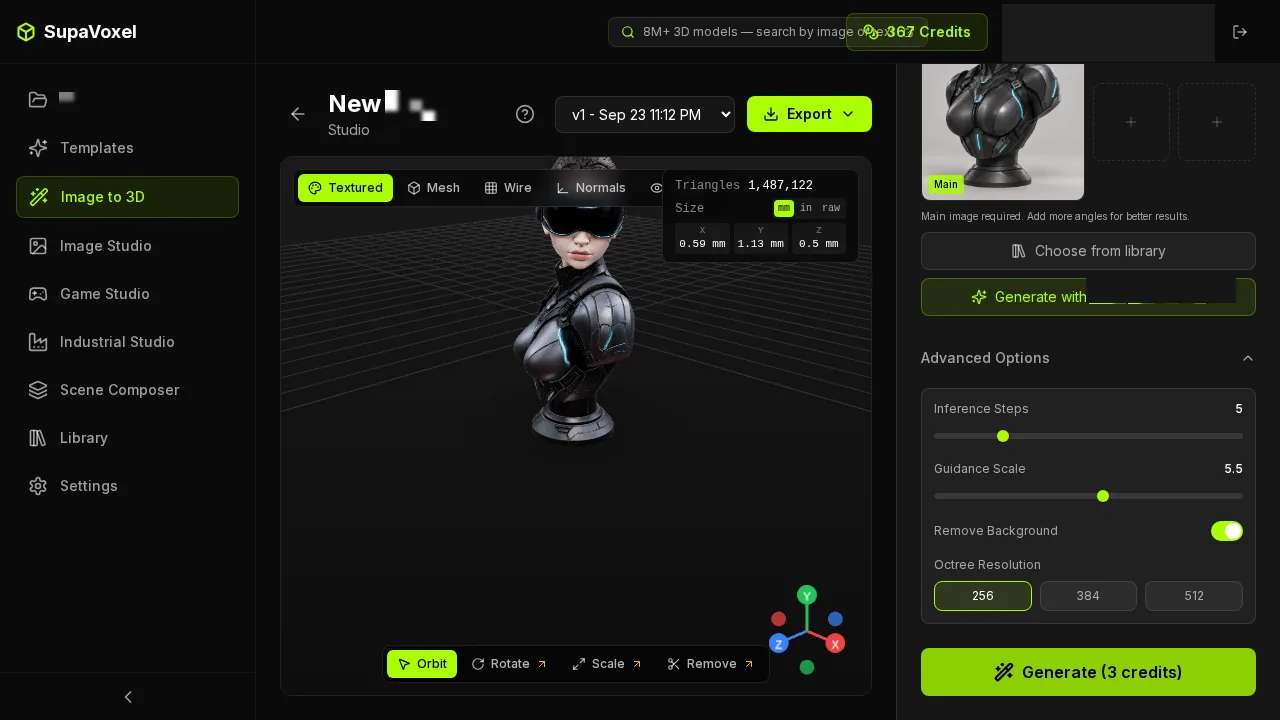
The other tool's result page for the same image.
Meshy means 53 seconds of staring at a loading screen
Here's what that weight turns into for an actual person.
Assume a steady 12 Mbps connection — a decent mobile link, a hotel, a busy office. Meshy's file takes 53.1 seconds to transfer. The other one takes 8.3 seconds.
Fifty-three seconds of Meshy.
Think about what your user does for those 53 seconds. They're not exploring your scene. They're watching a spinner, deciding whether this was worth clicking.
Eight seconds is annoying. Fifty-three is a bounce.
And that's per asset. Put three busts in a room and Meshy's version of your gallery takes over two and a half minutes to arrive.
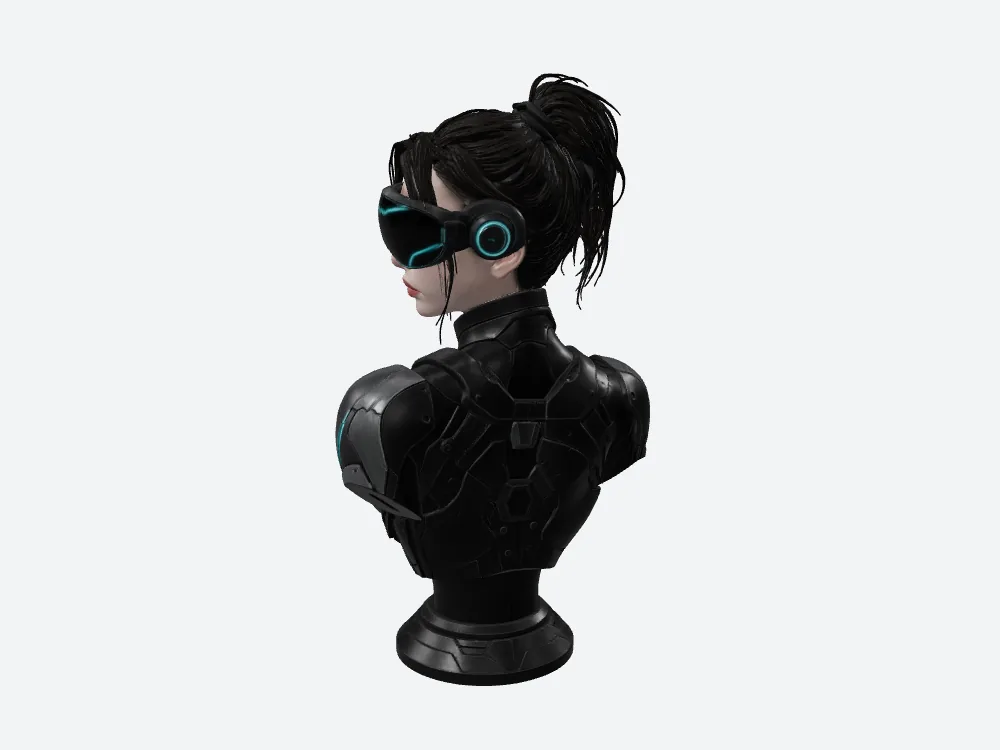
Meshy from the side. 53.1 seconds of waiting, at 12 Mbps.
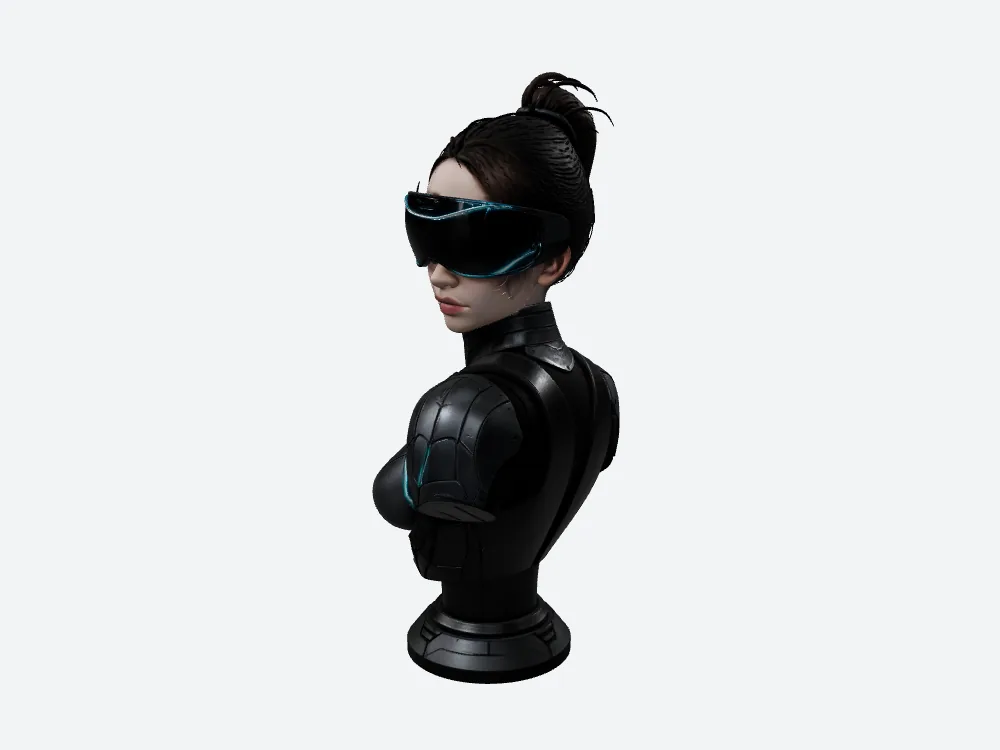
Same camera, the file that arrives in 8.3.
Even on fast office wifi, Meshy makes you wait
Maybe you're thinking: fine, but my users are on good connections.
Sure. Let's say 100 Mbps.
Meshy: 6.37 seconds. The other file: 0.99 seconds.
That one-second line matters more than the gap. Under a second, a thing just appears. Six seconds is a state you have to design for: a placeholder, a progress bar, a message somebody has to build.
Meshy doesn't just cost you bandwidth. It costs you UI you wouldn't otherwise write.
Now multiply Meshy by a hundred
One Meshy bust is a demo. A product is a hundred of them.
Copy this single file a hundred times and Meshy's library is 7.97 GB. The other one is 1.24 GB.
That's 6.73 GB of difference. On a CDN it's a line item. On a device it decides whether the library ships with your app at all.
Same arithmetic on the credits, for whatever it's worth: 3,500 on Meshy's ledger, 300 on the other. Two different plans, two different units — not a price ratio, and I won't pretend I know what either costs in money.
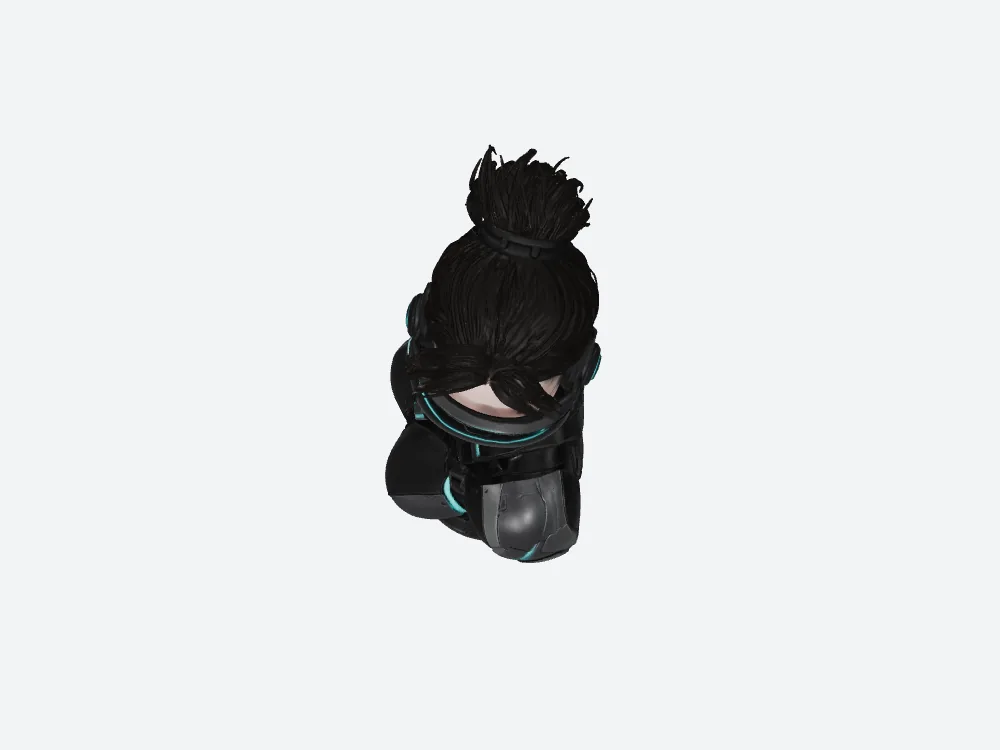
Meshy from above — one of the hundred copies in that 7.97 GB.
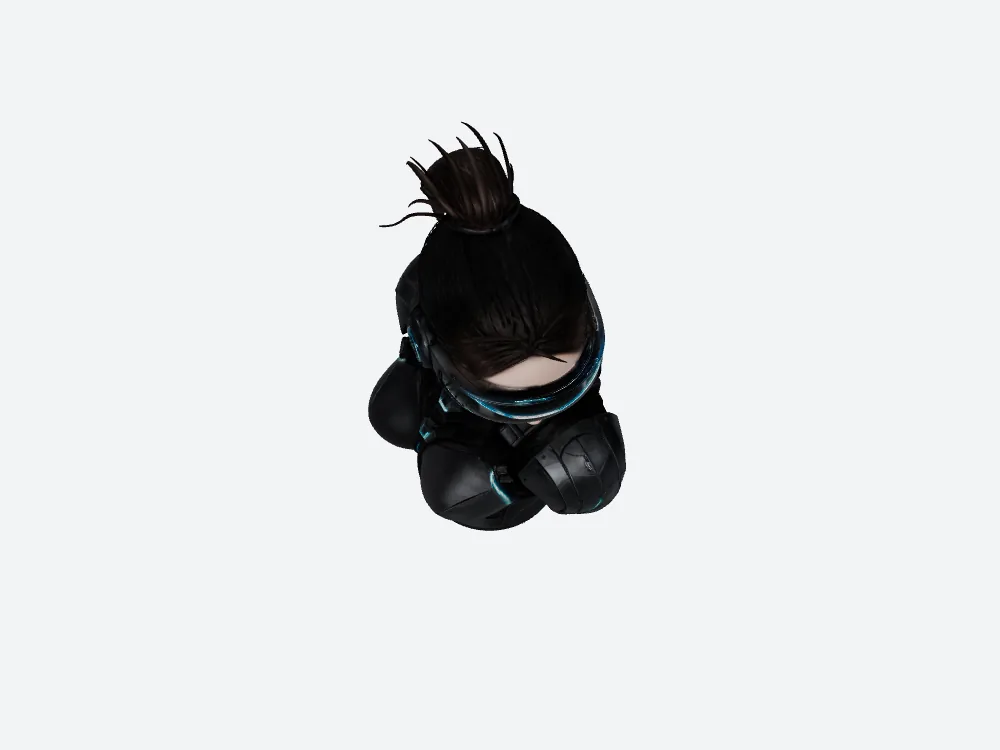
Same camera, the file that makes 1.24 GB instead.
Meshy is heavier inside the file too, before a single texture loads
Bytes on disk are one bill. Memory once the file is open is another, and Meshy loses that one too.
Here's what's actually inside. Meshy's GLB carries 2,490,490 triangles and 1,331,208 vertices. The other file carries 1,487,122 and 944,806.
A vertex is a corner of the surface; a triangle is the flat shard stretched between three of them. Your engine uploads the corners and then draws the shards. More of both means more to send and more to draw.
Put a plain layout on those numbers — position, normal and texture coordinate per vertex, plus three 32-bit indices per triangle — and Meshy's geometry works out to about 72.48 MB against 48.08 MB.
That's arithmetic with an assumed layout, not a reading off a device. But it's the right order of magnitude, and it's roughly 24 MB of headroom you don't get back.
On a standalone headset, 24 MB is a feature you now can't ship. It's a second character, or a room's worth of textures, or the audio you wanted to keep uncompressed.
And remember: no textures are in that figure at all. That's geometry alone.
The trade-show moment, which is where this actually hurt
Let me tell you when file size stopped being theoretical for me.
Demo on a borrowed connection. Someone senior standing there. Headset on their head, scene loading.
On a good link, Meshy's bust needs 6.37 seconds. On the hotel wifi you actually get, you're somewhere up near the 53. And the person wearing the headset has nothing to look at while they wait, so they take it off.
That's the whole risk in one sentence: your model is only as good as the moment it arrives.
The 12,385,676-byte file arrives in about 8.3 seconds on the bad connection and under a second on the good one. Same bust. Same reference image. You just don't get the awkward silence.
What the credits actually tell you (and what they don't)
The run recorded 35 credits on Meshy and 3 on the other tool for the same image.
I know what you want me to do with those two numbers. I'm not going to.
They're two different plans in two different units. Nobody sells "a credit" — they sell packs and tiers, and a credit on one dashboard has nothing to do with a credit on another. Turning that into "X times cheaper" would be the most misleading sentence I could write.
What I can tell you is what those 35 Meshy credits produced: 2,490,490 triangles, 1,331,208 vertices, three texture maps, and a 79,664,932-byte file.
Meshy's generation time? I don't have it.
I want to be straight about this one, because it's the number everyone asks about.
The other tool recorded a 268.043-second generation window — about four and a half minutes, start of the job to end, download not included. Meshy's equivalent wasn't captured in this run. Neither were failure counts or retry counts, on either side.
What I can tell you is when each job went in: the Meshy run at 02:30:57 UTC, the other at 03:07:41 the same morning. That's the order they happened in. It is not a duration, and I'm not going to dress it up as one.
So there's no speed verdict in this article. Not for Meshy, not against it. If someone tells you which of these is faster based on one run, ask them where the number came from.
The honest version of "how long does it take" is: I have one side's number and not the other's. Four and a half minutes on the tool that recorded it, unknown on Meshy. Plan your own test if the answer matters to your schedule.
I converted both for the browser. Meshy still lost.
To put both models in a web viewer, I ran the Meshy file and the other one through the same conversion.
Meshy's browser copy came out at 13.64 MB. The other one: 7.58 MB.
Look at that first number again. Meshy's compressed, converted, browser-optimised copy is still bigger than the other tool's original export at 12,385,676 bytes.
Meshy needed a whole processing step to get near where the other file started.
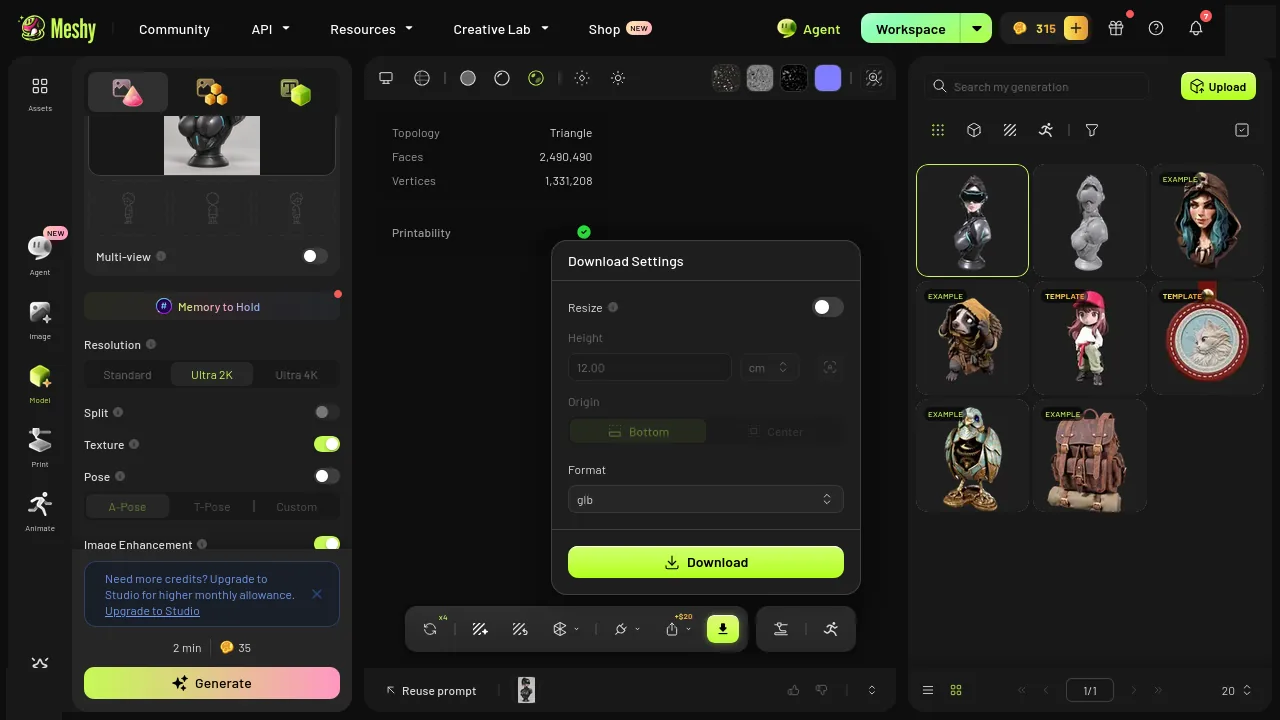
Meshy's download menu. I took GLB on both sides.
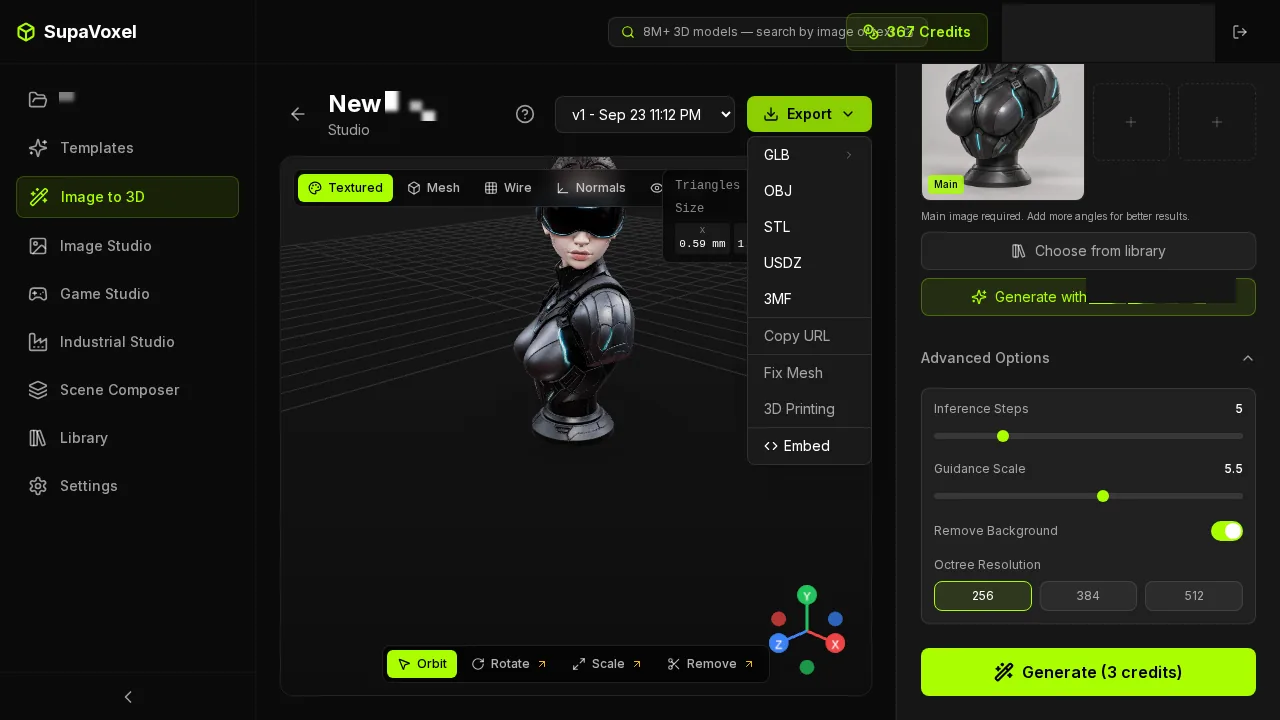
The other export menu, same choice.
The export menu is where this stopped being a dilemma
I almost missed this, and it turned out to be the most useful thing I learned all week.
The SupaVoxel export menu offers a compressed GLB and an original-size GLB. One run, two files, pick per destination.
So the web build takes the 12,385,676-byte version — 8.3 seconds at 12 Mbps, under a second on a fast line. Anything that won't install a decoder takes the original-size version instead. The original-size file is the complete, uncompressed deliverable, so of course it's the heavier of the two; that's what it's for, and the light one is right there when you need it.
Meshy hands you one GLB. It opens anywhere, which is genuinely useful — but when it's too heavy for the web, your options are a conversion pass or living with 53.1 seconds.
Two deliverables from one generation beats one deliverable you have to negotiate with.
Where Meshy actually wins
One real point, and it's about how the small file got small.
When a GLB is compressed, it can declare that it requires an extension — a piece of the format your importer has to understand, or it won't open the file at all. meshopt is one of those.
Meshy's file requires nothing. Clean, uncompressed, opens anywhere.
The compressed SupaVoxel file requires meshopt compression and mesh quantization. Take the original-size export from the same menu instead and that decoder requirement disappears. I read that off each file's own declaration — I didn't test the import anywhere.
The exchange rate: Meshy's no-install convenience costs you 67 MB per asset, 44.8 extra seconds at 12 Mbps, and 6.73 GB per hundred copies — and on the SupaVoxel side you don't trade anything for it, because both exports come out of the same run. If all you have is Meshy's one file and a recipient who won't install anything, Meshy is the safer delivery.
Meshy takes a smaller second point too. Both files embed exactly three texture maps — the image wrapped around the model — but Meshy's are 2048×2048 where the other file's are 4096×4096. That's a quarter of the pixels per map.
Force both sets to decode raw, with no mipmaps and no runtime compression, and Meshy's three maps come to roughly 50.33 MB against about 201.33 MB. Arithmetic on the measured pixel dimensions, not a reading off a headset — real engines rarely decode that way.
Still, 151 MB is 151 MB. If your target is memory-bound rather than bandwidth-bound, Meshy's lighter maps are the right trade: you get a much cheaper texture budget and you pay for it in the close-ups. Pick the constraint that actually breaks your build.
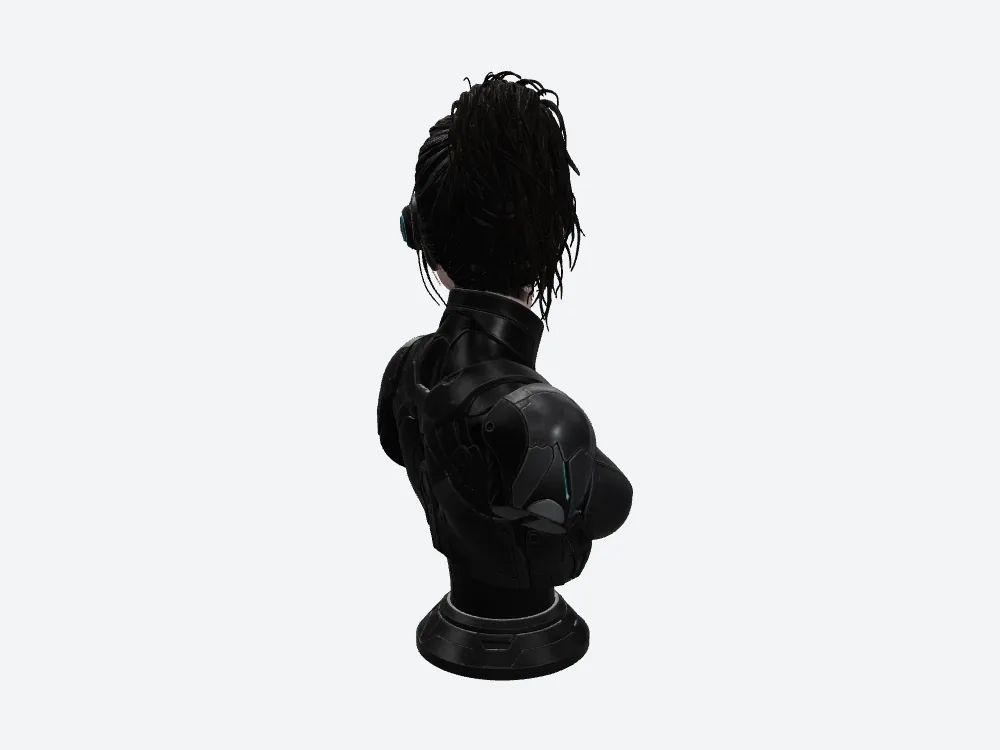
Meshy's back view. The reference photo never showed this side — both tools invented it.
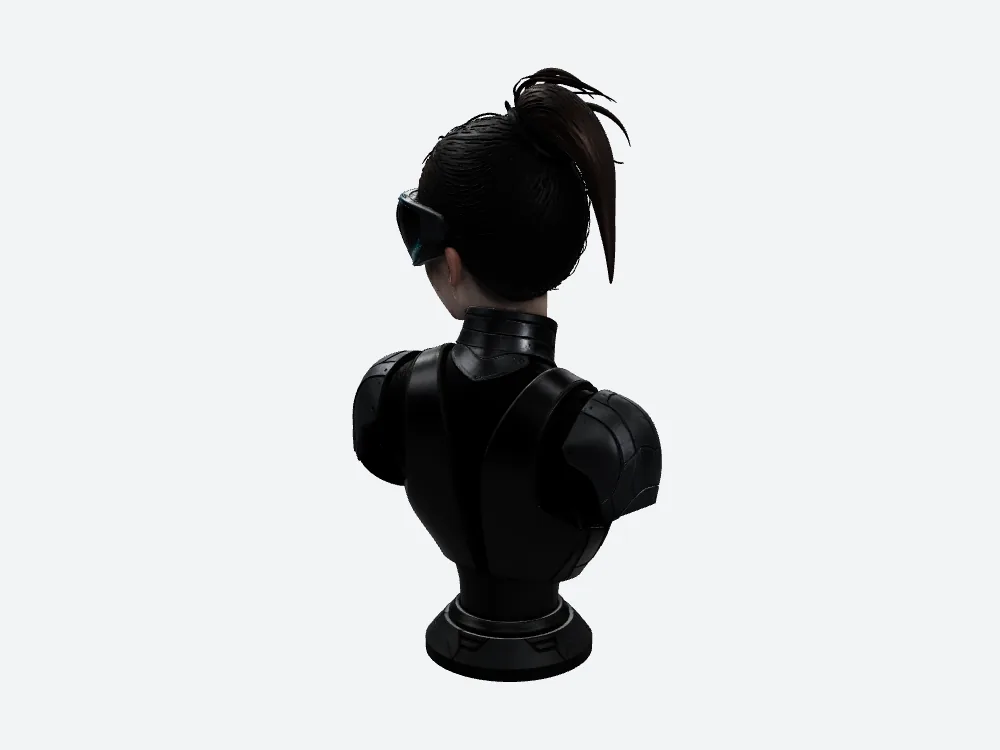
Same camera, other file. Same caveat.
So which file do you ship, Meshy's or the other one?
- Anything that downloads — the 12.4 MB file. Meshy's 79.7 MB is a bounce waiting to happen.
- Handing a file to someone who won't install anything — Meshy. It opens as-is.
- Building a library — 1.24 GB per hundred versus Meshy's 7.97 GB. That's the whole decision.
- Picking on price — you can't, from this. Different plans, different units.
- Picking on speed — you can't either. Meshy's time wasn't captured.
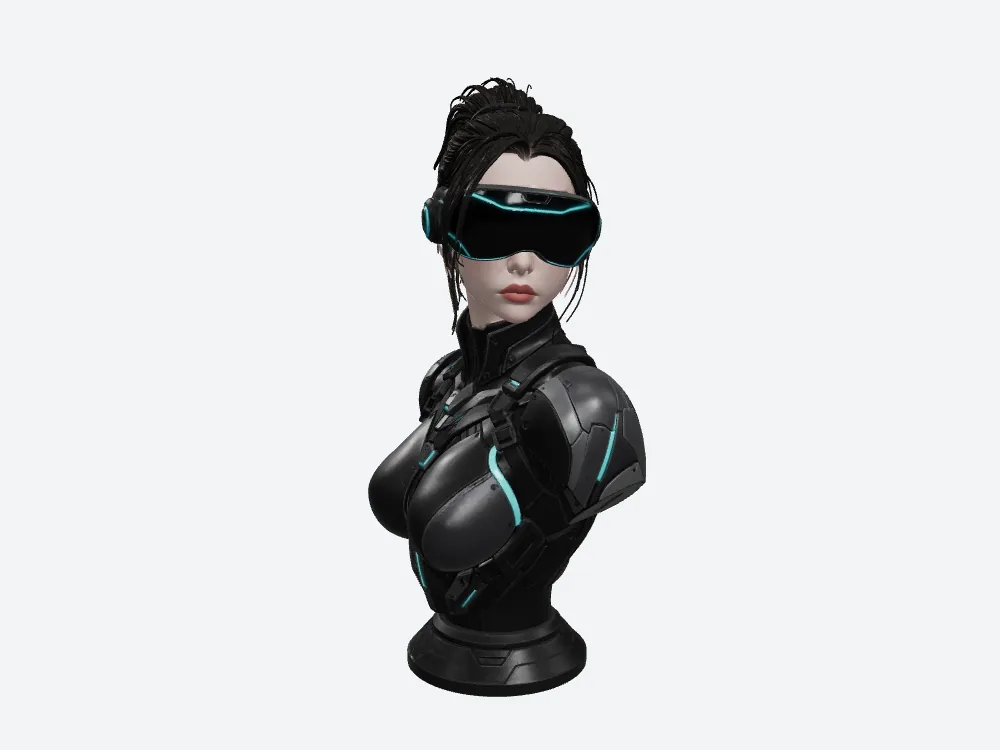
Meshy from the front.
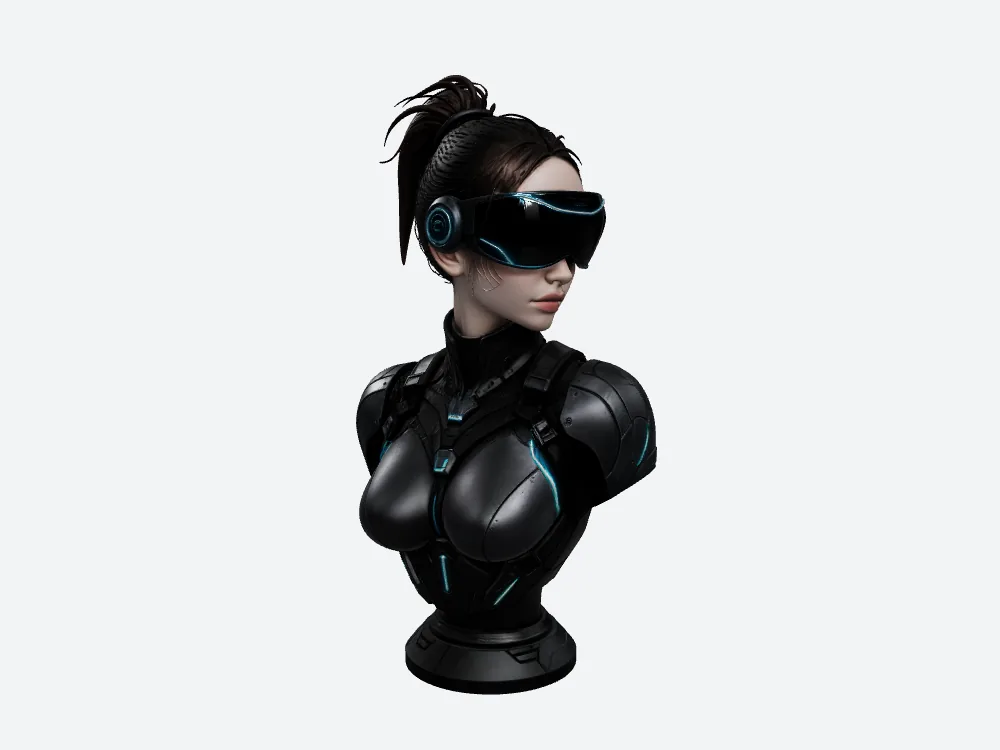
Same camera, the smaller file.
Final verdict: Meshy scores 58/100 for this job
Meshy made a good-looking bust and charged 35 credits on its own ledger to do it.
Meshy also handed me 79,664,932 bytes, 53.1 seconds of waiting on a normal connection, 7.97 GB per hundred assets, and a browser conversion that still landed heavier than the other tool's untouched export.
58/100, for this one job, one image, one run each. Not an average, not a verdict on Meshy everywhere.
Try it with your own image
Run the picture you actually need. Through Meshy, and through the other one. Then look at the file size before you look at the render.
The small export came out of supavoxel.com — 12,385,676 bytes, 3 credits on its own ledger, 268.043 seconds. Take the compressed GLB for delivery and the original-size one if the far end is picky; they come from the same run.
Your file, your connection, your call.
How I tested this
One reference image, made with GPT Image 2, uploaded to Meshy and to SupaVoxel with no text prompt on either side. One run each, GLB downloaded from both, both files hashed and measured.
Every byte count above is read off the downloaded file. Credits and the 268.043-second window come from the run record; where a number wasn't captured — Meshy's generation time, and failure and retry counts on both sides — I've said so rather than estimated it.
The download seconds are arithmetic, not a network test: file bytes × 8 ÷ bandwidth, at an assumed steady 12 Mbps and 100 Mbps, ignoring handshake, latency, caching and decode. The 7.97 GB and 1.24 GB figures are the same file counted a hundred times — a capacity exercise, not a hundred real runs. The texture figures are arithmetic too: three maps decoded as raw RGBA, no mipmaps.
Renders are mine, from one offline viewer with fixed lighting and identical camera numbers on both sides; each GLB carries its own built-in orientation, so the pairs are two models under one camera, not an overlay. The browser copies were made with one shared conversion command, and the conversion shifted one model's triangle count by 2 — which is why every measurement here comes from the untouched originals. UI screenshots were redacted before publication.
Originally published on Medium: Meshy AI 3D Review 2026: 35 Credits and a 79.7 MB VR Helmet Bust.