Readers exploring hunyuan 3d can use this independent Tripo 3D and 3D Studio review to see how generated meshes hold up on detail, topology, repair, and print preparation.
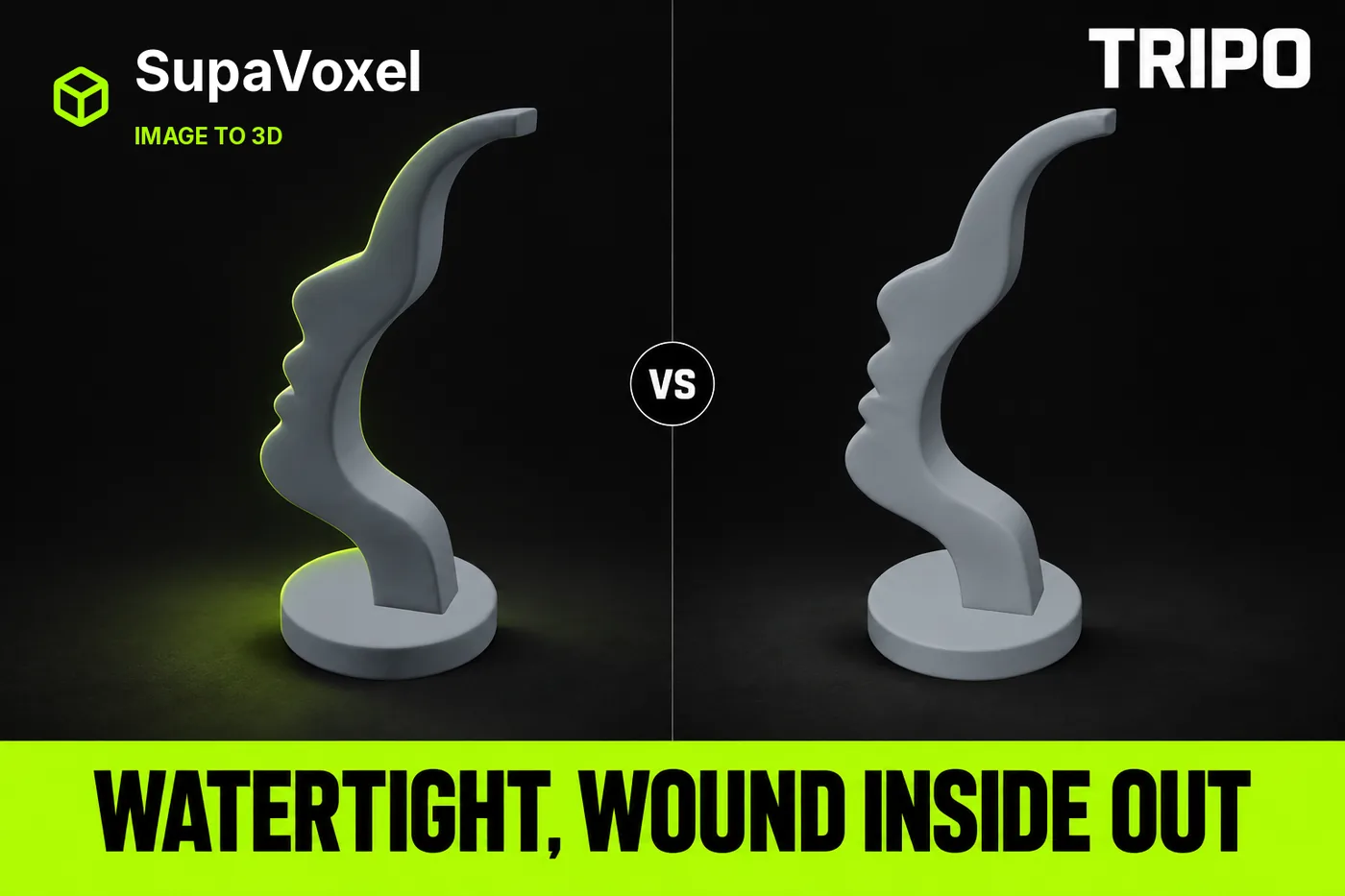
This is an independent test. Nothing here came from vendor access: both tools were used on my own free and paid accounts.
My verdict in 60 seconds — Tripo 65/100, 3D Studio 88/100
Start with the row 3D Studio loses. I put one image of a sculptural face glasses stand — an S-swept plate with a human profile carved into its left edge, on a round base — into Tripo and into 3D Studio, downloaded both GLB files, welded vertices by position and ran one measuring script over each. Tripo holds the profile better. Tripo's nose tip comes to a point, its notch under the nose is a narrow deep V, its lip step is a hard edge. 3D Studio rounds all three. Brow, nose, both lips and chin stay individually readable on 3D Studio's mesh, but every feature is a grade softer. Visible at a glance, not measurement noise.
On printability neither file wins: Tripo welds watertight and then hands you inverted winding; 3D Studio winds consistently and is not watertight. Both go to the repair bench before they go to a slicer.
- Watertight after welding — Tripo yes · 3D Studio no · Tripo wins this row
- Boundary edges (holes) — Tripo 0 · 3D Studio 6 · Tripo wins
- Non-manifold edges — Tripo 0 · 3D Studio 72 · Tripo wins
- Connected components — Tripo 1 · 3D Studio 47 · Tripo wins
- Winding consistent (normals) — Tripo false · 3D Studio true · 3D Studio takes this one, and it cancels the four rows above
- Support area at 45° — Tripo 2,022.1 mm² (15.90%) · 3D Studio 1,793.3 mm² (13.80%) · 3D Studio by 228.8 mm²
- Triangle hygiene — Tripo 1 degenerate / 225 slivers · 3D Studio 14 / 294 · Tripo wins, clearly
- Resin at 120 mm tall — Tripo $1.53 · 3D Studio $1.57 · a four-cent tie
Four things that decide this case:
- Tripo's mesh is closed — 1 component, 0 boundary edges, 0 non-manifold edges, Euler characteristic 2 — and its
welded_winding_consistentisfalse. A sealed solid with faces pointing inward: flip the winding before you slice. - 3D Studio's is the mirror fault: winding consistent, but 47 shells, 72 non-manifold edges, 6 boundary edges. Merge and patch. Neither file skips the bench.
- Tripo's triangle quality is genuinely better: 1 degenerate face and 225 slivers in 1,896,372 triangles against 3D Studio's 14 and 294 in 958,552 — 118.7 per million against 306.7.
- All of it costs 55 credits against 3, and 57,621,648 bytes against 4,664,668.
Printing this tonight? Take the 3D Studio file: 3 credits, one merge-and-patch, less support to peel. Taking it into Blender for boolean surgery? Tripo's clean single shell and cleaner triangles are worth the 18.3× bill — I say so again at the end.
The test: one image, one target height, two products
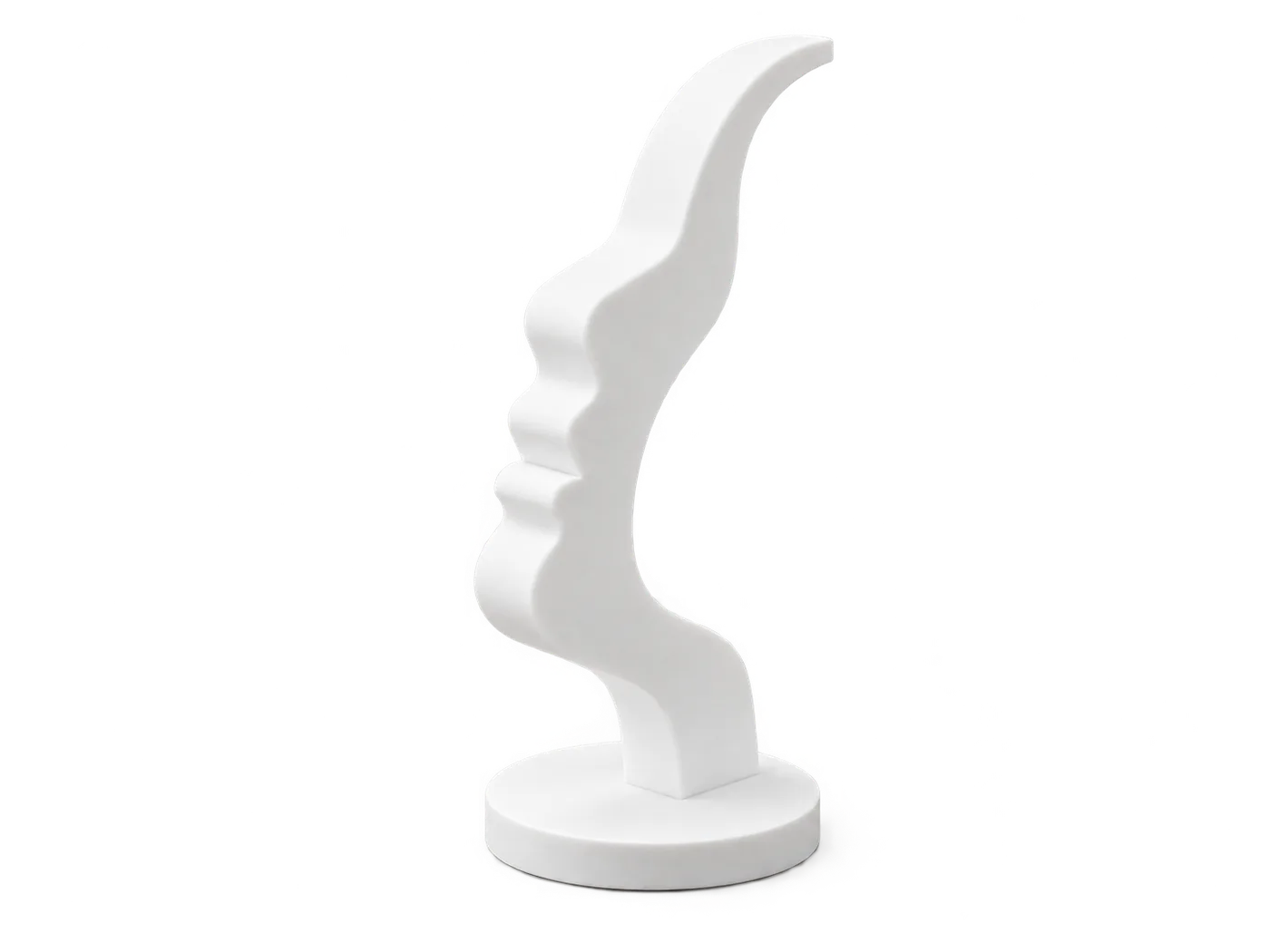
The single input both products were given: a 359,638-byte PNG, sha256 0f736f93…. Two things matter below. The plate is a deliberate S-shaped sweep, not a flat slab — it curves back on purpose. And the reference shows the stand empty: on this design the carved nose is the crossbar the glasses rest on, so no separate bar in frame is correct.
Same file, same factory defaults, one run each. Every geometry number below was parsed out of the downloaded GLB, never read off a panel. Printability metrics are computed after welding vertices by position — both exports split vertices along UV seams, so measuring before welding measures seams, not topology. I scaled both models to 120.0 mm first. One run per product: a case study, not a statistic.
Tripo's closed shell is real, and so is the flipped winding
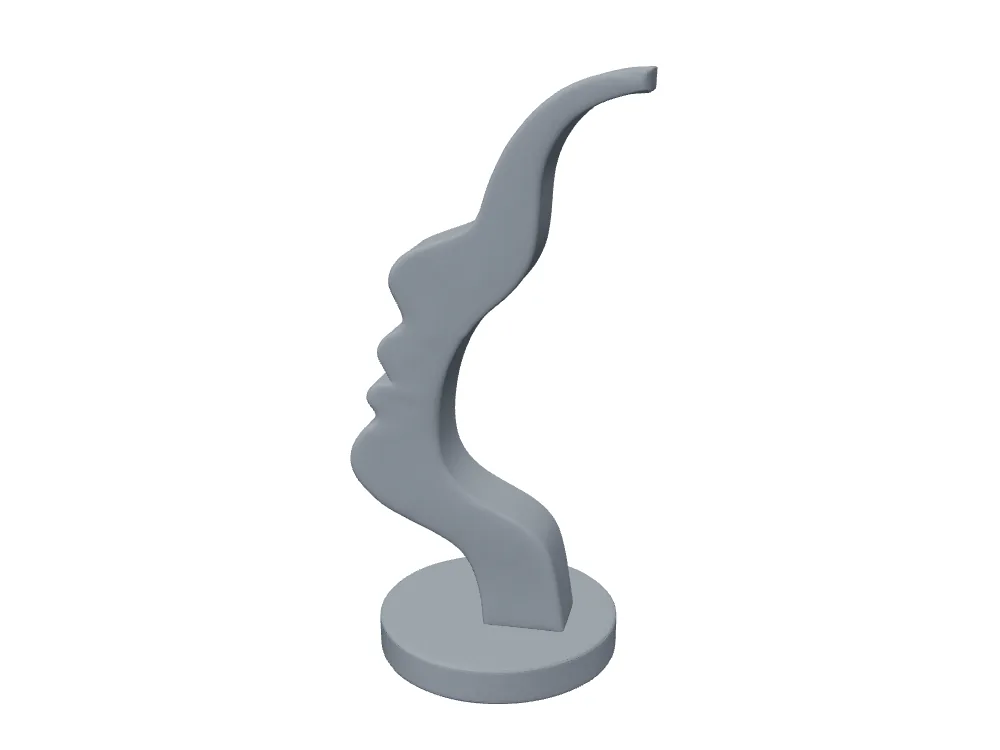
Tripo's untextured geometry. Welded, a single watertight shell: 1 component, 0 boundary edges, 0 non-manifold edges, Euler characteristic 2.
This is the row Tripo wins and I will not soften it. Run the four checks most people run before slicing — watertight, holes, non-manifold edges, shell count — and Tripo passes all four. 3D Studio passes none.
Then run the fifth. welded_winding_consistent is false: the shell is sealed and some faces point the wrong way. Slicers usually guess their way through inverted normals; booleans and shell-thickening do not. One recalculate-normals pass, owed on every copy of the model.
- Euler characteristic — Tripo 2 (closed solid) · 3D Studio 46 (47 shells, open)
- Before slicing — Tripo: flip the winding · 3D Studio: merge 47 shells, patch 6 boundary edges
- Cost of that difference — 52 extra credits and 52.96 MB, and the bench still runs
Tripo gives you no way to catch this inside the product. Its result page reports Triangles 1,896,372 and Vertices 966,210, matching the parsed GLB to the digit — honest of it — but offers no normals mode and no wireframe. You pay 55 credits, see a picture of what you bought, and the defect that costs time stays invisible until the file is on your disk.
3D Studio's fault is the opposite one, and it is 47 shells
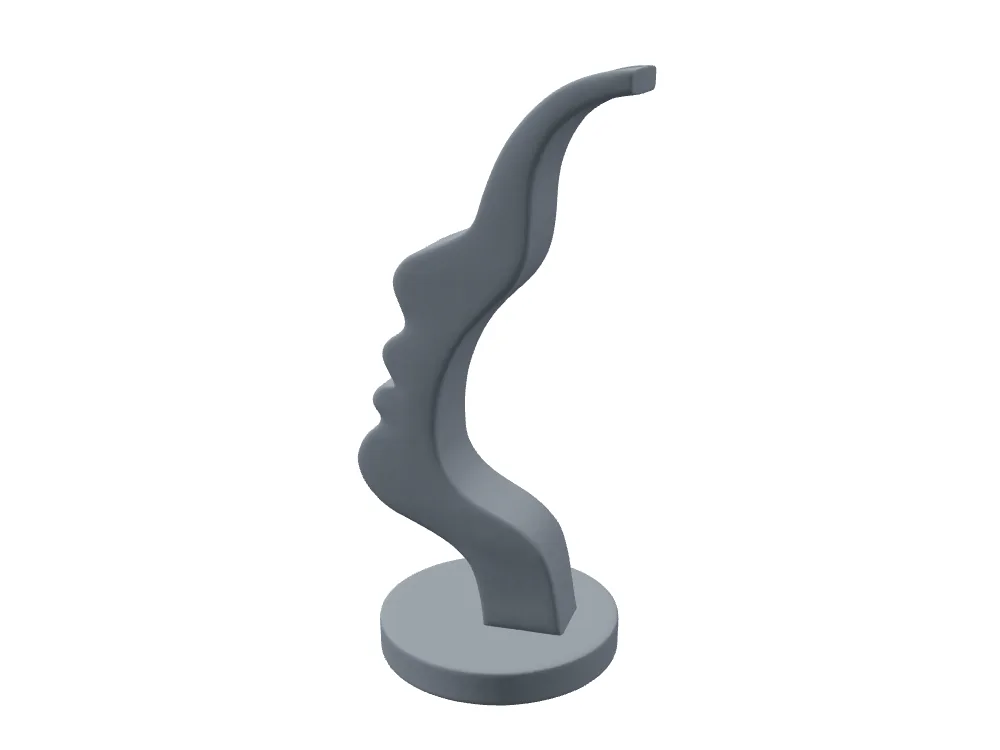
3D Studio's untextured geometry: plate face smooth end to end, no bulges, no broken steps. Winding consistent — and the shell is not closed. 47 components, 72 non-manifold edges, 6 boundary edges.
This deserves stating plainly rather than dressing up next to Tripo's watertight row. 47 components on an object that should be one solid means the exporter left seams the welder could not close — the faint seam on the upper hook in the 3D Studio back render is that number becoming visible.
- Boundary edges — Tripo 0 · 3D Studio 6 · six open edges to bridge
- Non-manifold edges — Tripo 0 · 3D Studio 72 · shared by more than two faces
- Welded vertices — 490,680 → 479,253, only 11,427 merged (2.3%) · not padded with duplicate points; the shells are genuinely separate
In practice: one automatic repair in the slicer — the same clicking Tripo asks for to flip its normals. A tie, not a loss: two faults, one pass each, 52 credits of difference in what you paid to reach the same bench.
3D Studio's Normals view catches this before you download
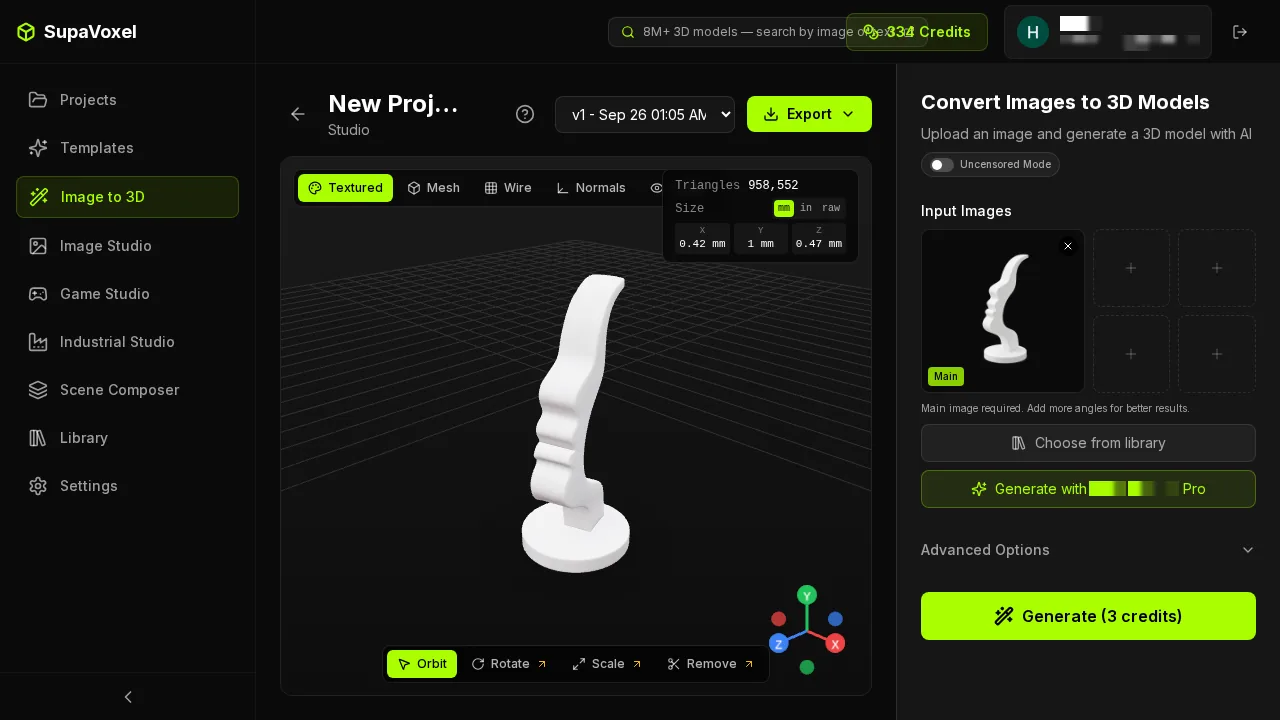
3D Studio's result page: four inspection modes side by side — Textured / Mesh / Wire / Normals — Triangles 958,552 top right, matching the parsed GLB exactly, and a Size X/Y/Z readout in mm / in / raw.
Winding is something you should see before you spend a download. 3D Studio puts a Normals mode one click from the result; Tripo's viewer offers a textured model and a strip of material balls. When winding is the only printability defect, that is the difference between catching it in the viewer and catching it in the slicer.
One note against 3D Studio on the same screen: the size readout reads 0.42 / 1 / 0.47 mm. Its export lands at unit-1 scale, so you scale to target height yourself. Every number here is measured after I scaled to 120.0 mm.
Support area: 3D Studio peels 228.8 mm² less than Tripo
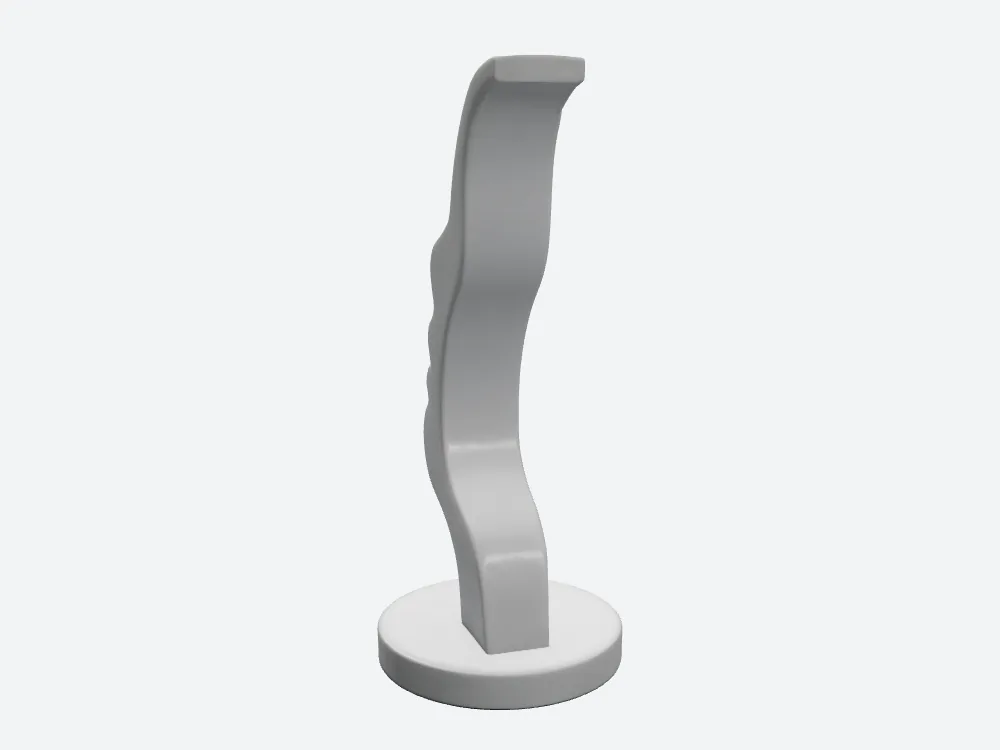
3D Studio from the side, where the plate's depth reads. The S-sweep is the design, present in both models; what differs is how evenly each carries it.
At a 45° threshold, 120 mm tall:
- Overhang area — Tripo 2,022.1 mm² · 3D Studio 1,793.3 mm² · 228.8 mm² less, 11.3% less
- Overhang fraction — Tripo 15.90% · 3D Studio 13.80%
- What that is — support contact you scrape off by hand, on every copy
Not dramatic on one print. Across 100 it is 22,880 mm² of support contact nobody has to touch, at 3 credits a piece instead of 55.
Slab depth, base disc, bottom face: a tie, and I will not fake it
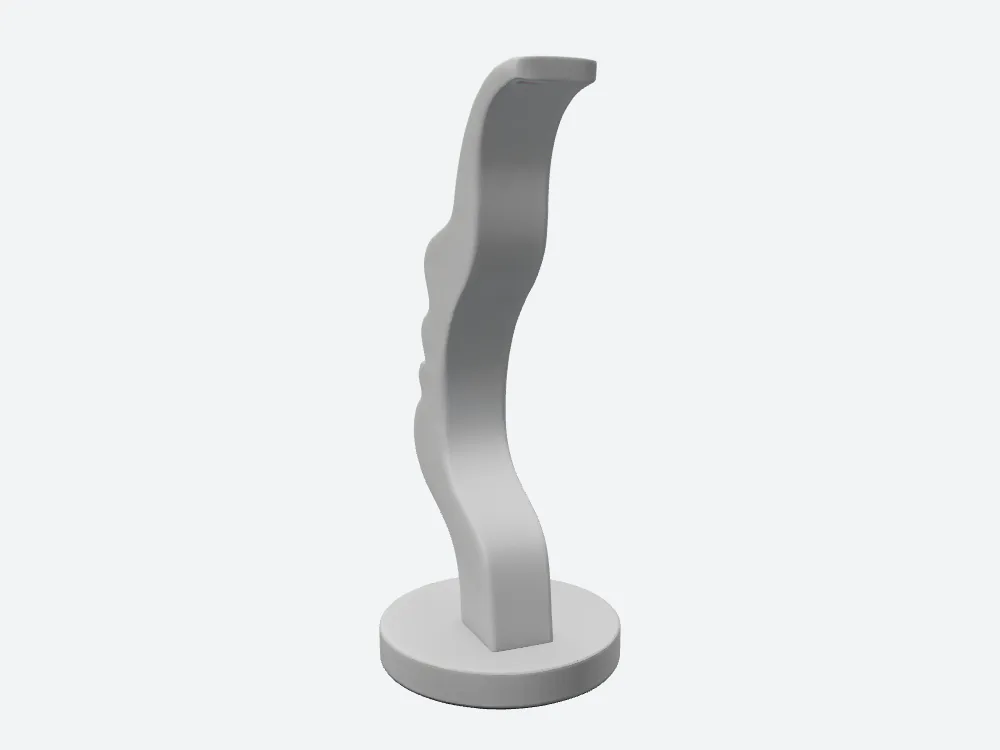
Tripo, same side camera. Its cross-section depth swings wider up the plate — 18.17 to 24.11 mm — with a visible bulge in the upper back. Median depth is 0.49 mm from 3D Studio's: a distribution difference, not a thickness difference.
The stress axis I set was "does the slab bulge into a blob." It does not, on either side, and the question is partly ill-posed: the plate is an S-sweep by design, so depth variation across height is the object's own geometry — present in both models, correct in both.
- Cross-section depth, 13 height bands — within about 1 mm at 10 of 13
- Median depth — Tripo 19.79 mm · 3D Studio 20.28 mm · 0.49 mm apart
- Depth spread — Tripo 30.0% (18.17–24.11 mm) · 3D Studio 20.4% (19.26–23.40 mm)
- Base disc roundness error — Tripo 0.8% · 3D Studio 0.4% · 0.2 mm on a 25.2 mm mean rim radius
- Bottom face flatness — Tripo 0.796 mm · 3D Studio 0.798 mm · two microns apart; both sit flat
Three rows to 3D Studio, one Tripo takes by two microns, none of it changing a print. Reporting the base disc as a Tripo defect would be inflating 0.2 mm into a story.
Triangle hygiene: 3D Studio's clear loss
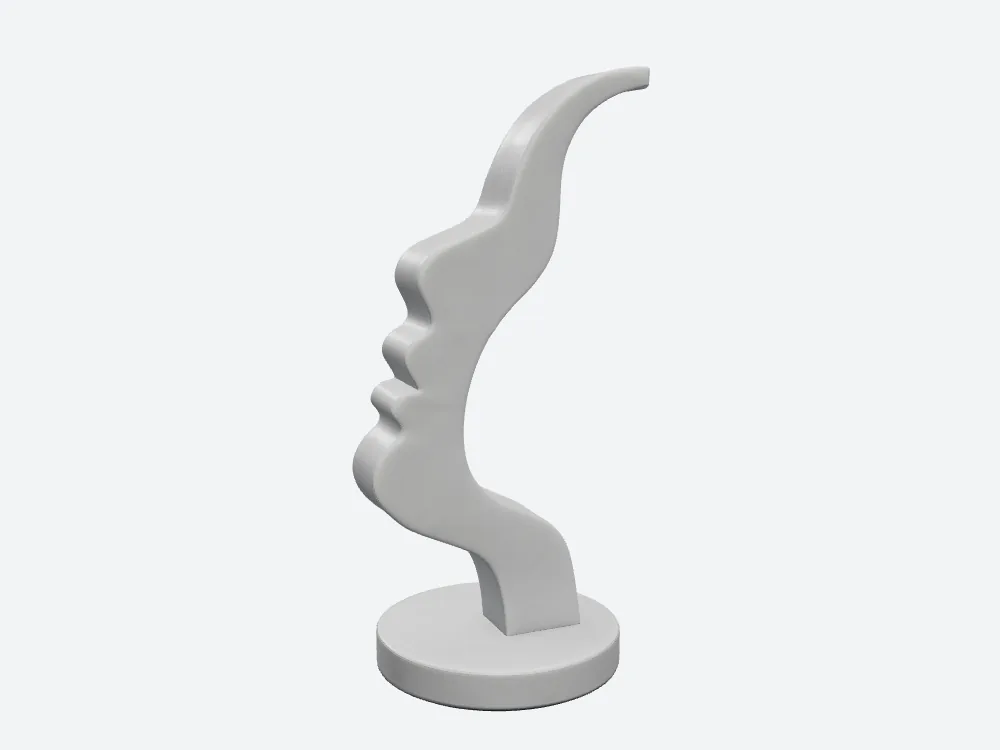
Tripo from the front: 1,896,372 triangles, 1 degenerate, 225 slivers.
- Degenerate faces — Tripo 1 · 3D Studio 14 · 14× worse on 3D Studio
- Sliver faces — Tripo 225 · 3D Studio 294
- Per million triangles — Tripo 118.7 · 3D Studio 306.7 · 2.6× worse on 3D Studio
"Tripo just has more triangles" does not rescue 3D Studio — that is the point: Tripo carries 1.98× the face count and still fewer bad faces in absolute terms. Slicers warn on needle-thin triangles and usually repair them; Blender is less forgiving, since slivers are where a boolean opens a crack. If your pipeline is generate-then-heavily-modify, this row plus the watertight shell genuinely points at Tripo — trade ratio 52 extra credits and 52.96 MB per model.
Against a 0.4 mm nozzle, both files are past the point
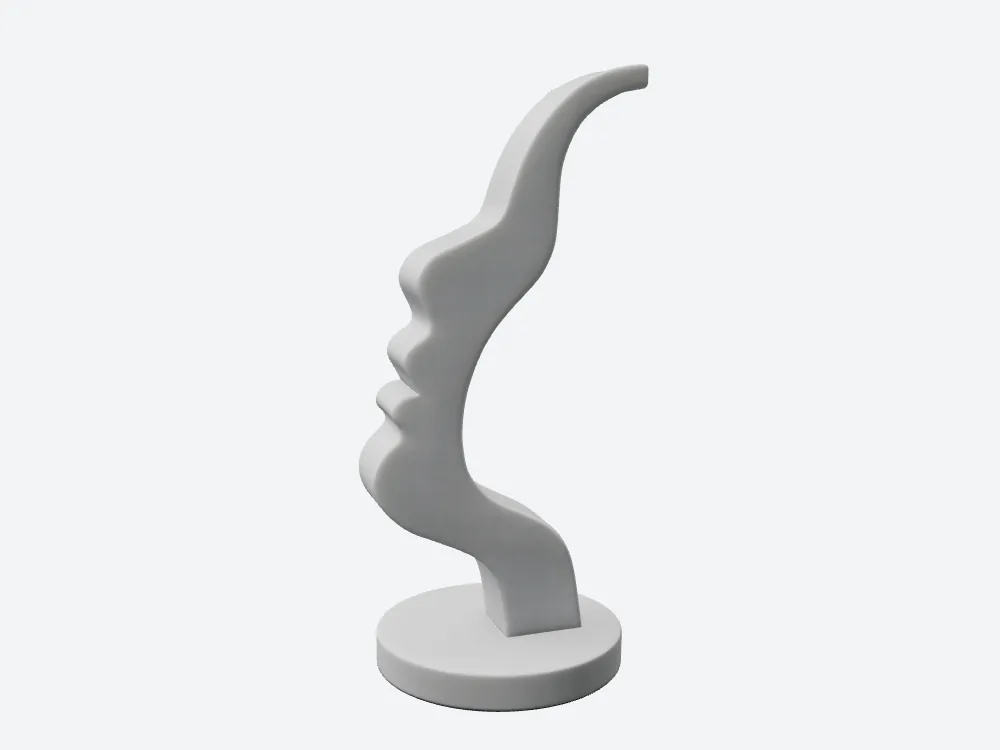
3D Studio from the front. 958,552 triangles carry all five profile features — brow, nose, both lips, chin — as individually readable forms. The nose tip is round; that is the loss, and the third article in this series is about it.
At 120 mm tall:
- Mean triangle edge — Tripo 0.1339 mm · 3D Studio 0.1904 mm
- Against a 0.4 mm nozzle — Tripo 3.0× finer · 3D Studio 2.1× finer · both past what FDM can cash
- Extra triangles Tripo ships — 937,820 · return on a white FDM part: nothing measurable
Tripo's sharper nose tip is a modelling difference, not a resolution one. It does not resolve the notch better because of 937,820 extra triangles — at 0.19 mm 3D Studio's edges already beat what a 0.4 mm nozzle lays down. Tripo wins there because its reconstruction chose a harder crease.
Volume and resin: four cents apart
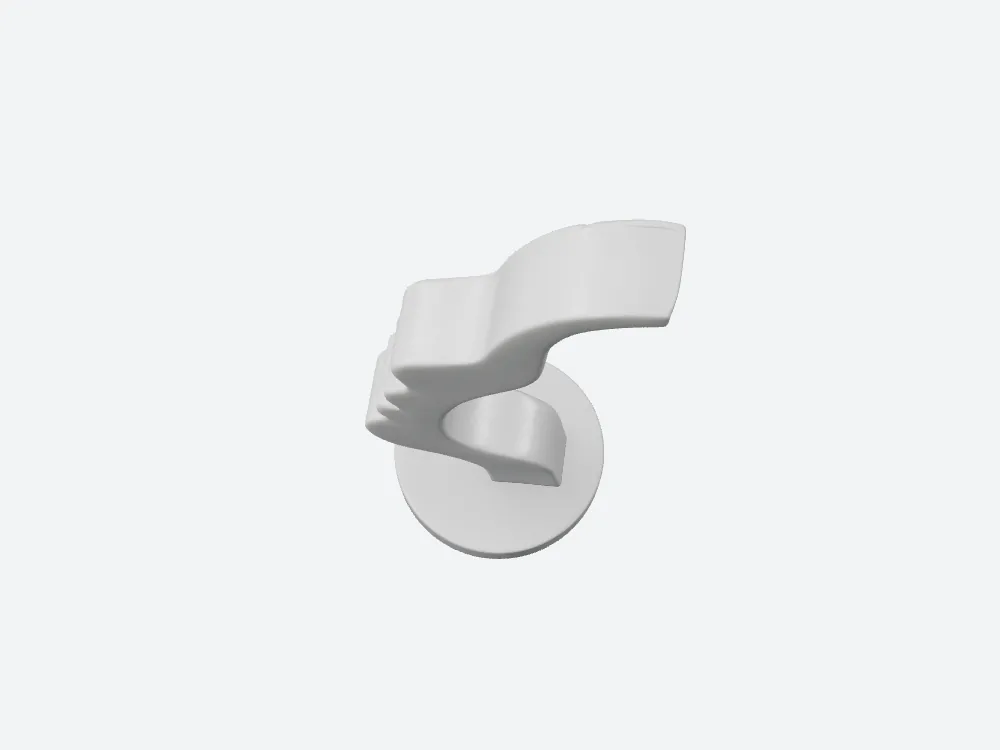
Top view, 3D Studio. The plate reaches past the disc; the three notches along the carved edge — under the nose, between the lips, under the chin — read from above, just rounder and wider than Tripo's.
- Solid volume at 120 mm — Tripo 43.67 cm³ · 3D Studio 44.79 cm³ · 2.6% apart
- Resin at $35/L — Tripo $1.53 · 3D Studio $1.57 · four cents
- Footprint — Tripo 57.9 × 120.0 × 50.07 mm · 3D Studio 50.6 × 120.0 × 56.24 mm · the same shape rotated 90°
Fed the same image, Tripo and 3D Studio produced the same object to within 1.12 cm³ — the strongest evidence in this case that geometry is settled and the bill is the only open question.
Neither back half was invented
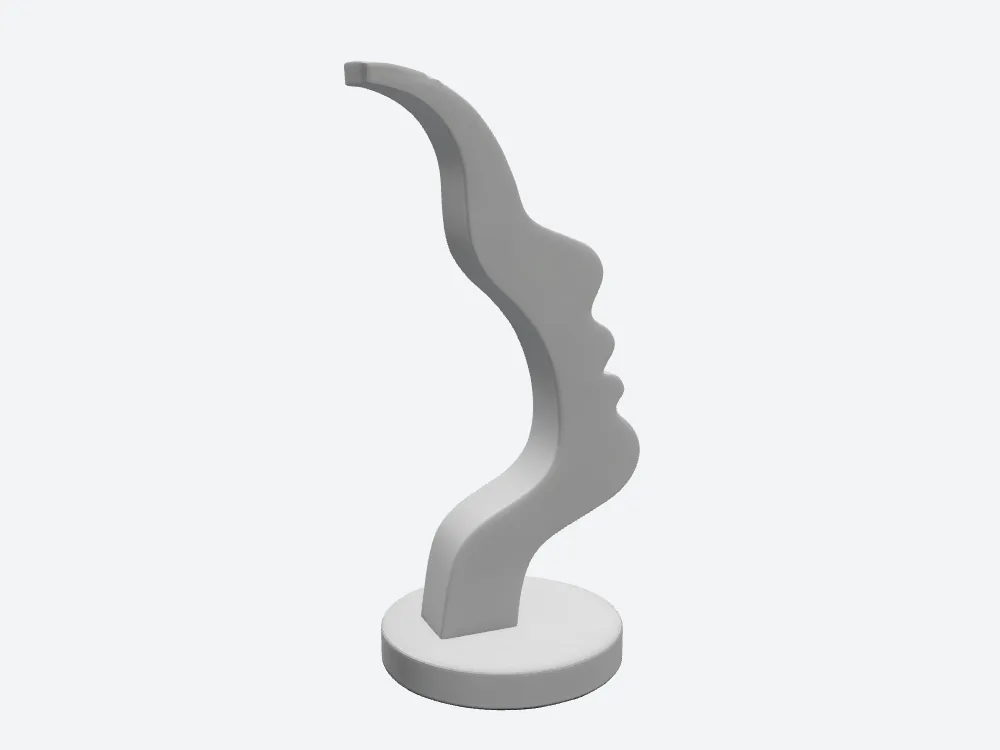
Tripo's back — the half the input never showed. No ears, no hair, no skull: the profile swept through the plate and closed with a smooth rear arc.
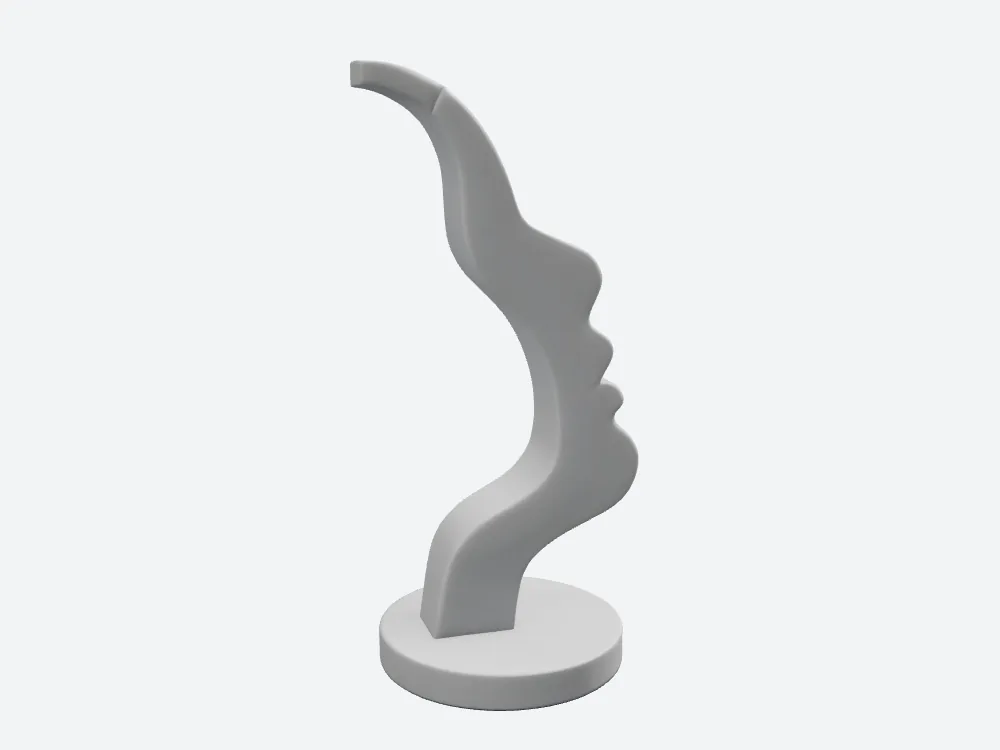
3D Studio, same camera, same answer. The faint seam on the upper hook is the 47-component number showing itself.
A row neither side wins. 55 credits did not buy a hallucinated back half, and 3 did not lose one. The only difference: 3D Studio's rear arc runs smoother, Tripo's carries a few shallow undulations.
Getting the file out of Tripo: two clicks, two dropdowns
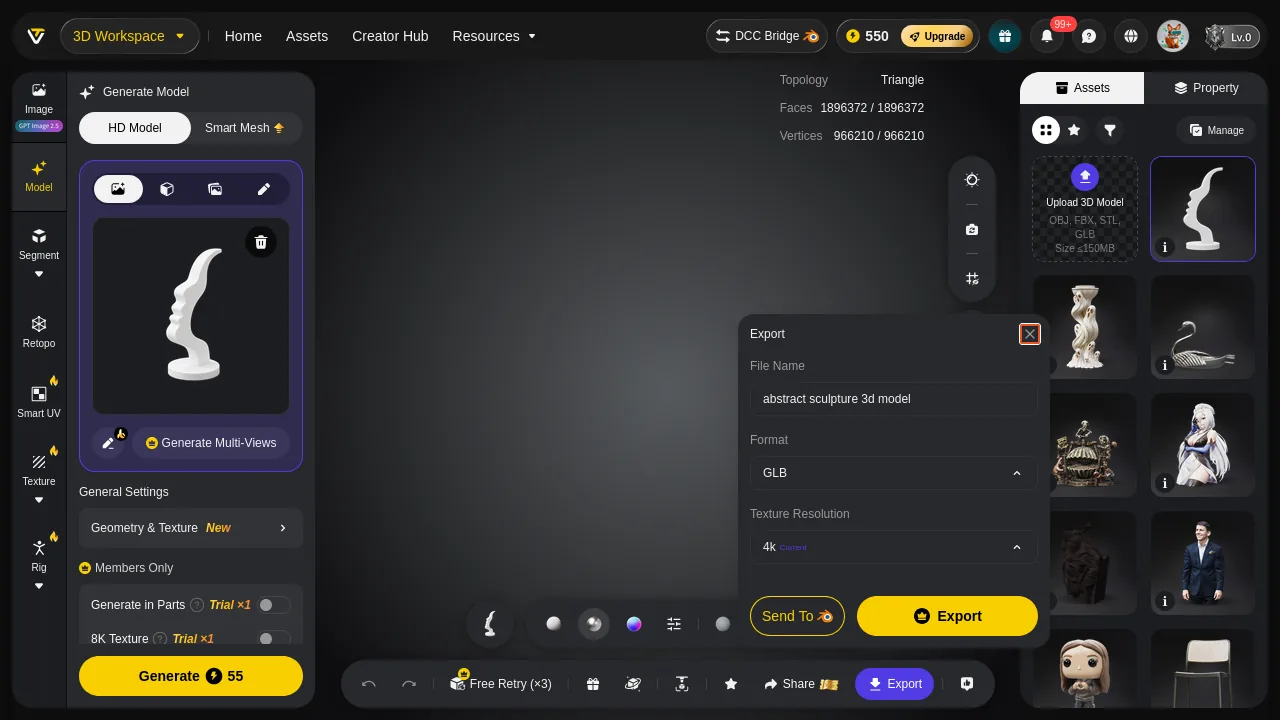
Tripo's export dialog: File Name, Format (GLB), Texture Resolution (4k Current), plus Send To. Two clicks to save, but format and texture resolution each need a dropdown opened first.
- Tripo export — 2 clicks · 4 fields · Texture Resolution defaults to 4k, where the 57,621,648-byte file comes from
- 3D Studio export — a toolbar dropdown with a version selector beside it (v1 - Sep 26 01:05 AM) · click count not captured
- What Tripo's 4k default costs on a white print — 2,672,961 bytes of metallicRoughness and normal maps, unread
I recorded the 3D Studio click count as not captured rather than guessing at it. Tripo's is 2, measured.
Final verdict: Tripo scores 65, and this is the closest case I have run
Tripo delivered the better profile here — nose tip, notch and lip step all sharper, undeniably so in the back-zoom pair — plus the single watertight shell and the cleaner triangles. Three real wins, all three in the body of this article rather than at the bottom under "regrets."
What Tripo did not deliver is a file you can print untouched. Inverted winding on a sealed solid is a repair step, exactly as 3D Studio's 47 shells are. So printability ties and the bill does not: 55 credits against 3, 57.62 MB against 4.66 MB, for a marginally sharper nose and 228.8 mm² more support area. At 120 mm on a 0.4 mm nozzle, Tripo's 937,820 extra triangles cash out at zero.
Use Tripo when you need a single closed shell and the cleanest triangles for heavy boolean work downstream, and 55 credits per model fits your budget. That row is real.
Use 3D Studio when the deliverable is a printed part: the same object to within 1.12 cm³ and four cents of resin, less support to peel, consistent winding, at one eighteenth of the credits.
Which one I would use for this job
For a printed copy of this stand, I would take the 3D Studio file: same photo, 3 credits, a 4.66 MB GLB with consistent winding, and a Normals view that shows the topology before you spend a download. I would still merge 47 shells before slicing — said above, not tucked in down here. I just would not have paid 55 credits to arrive at the same bench carrying a 57.6 MB file. Both tools are worth trying on your own subject: cutt.ly/UyEFzNaQ is where I ran mine.
Originally published on Medium: Tripo 3D Print Review 2026: A Watertight Mesh With Inverted Winding.